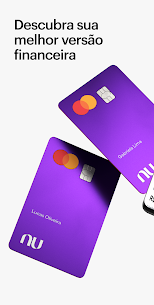

Nubank APK is the official Android app for Nu customers who want to manage supported account services from a phone. The current listing points to Google Play package com.nu.production and now tracks version 10.4.22. Depending on the country and account type, users can review balances, manage cards, send transfers, use PIX, check payments and follow spending activity in one place.
People also reach this page through searches such as Nubank Fake APK Baixar, App Pix Falso Nubank Download and dinheiro infinito APK for Android. Those phrases do not describe functions offered by Nu. A fake balance, edited receipt or “unlimited money” screen cannot add funds to a real account, and the download button on this page continues to open the official Google Play listing.
Nubank account and card controls
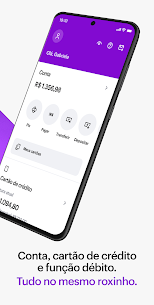
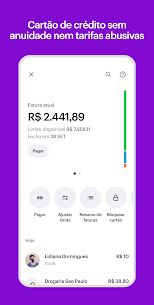
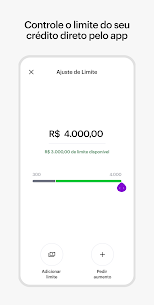
Nubank brings everyday account activity into a mobile dashboard instead of requiring repeated branch visits or paperwork. Available controls can include account history, credit-card management, payment dates, spending limits and transaction notices. Products differ by market, so a feature visible to a customer in Brazil may not appear in the same form for an account in Mexico or Colombia.
- Account management: Review supported account, card, credit, investment and insurance products from the same signed-in area.
- Card controls: Check card activity and use the controls made available for the customer’s card and region.
- Paperless access: Complete eligible account tasks in the app without relying on physical forms.
PIX, transfers and spending activity
For supported Brazilian accounts, PIX tools make it possible to send and receive instant transfers using the options provided inside the app. Transaction alerts help customers notice account activity without repeatedly refreshing the balance screen. The spending view also groups recent movements so users can review where money went and identify an unfamiliar charge more quickly.
- Transaction notifications: Receive account and card activity alerts when the service supports them.
- Spending history: Review payments, transfers and categorized expenses from the app.
- Account reminders: Follow bills, due dates and other notices shown for eligible products.
Services across Brazil, Mexico and Colombia
Nu operates across Brazil, Mexico and Colombia, but the app is not identical in every country. Local regulations, account products and transfer networks affect what appears after sign-in. Existing features associated with regional services, including PIX in Brazil, Dimo transfers in Mexico and Cajitas for savings goals, should therefore be treated as country-dependent rather than universal.
This regional difference matters when someone downloads Nubank APK after reading about a feature online. The same package can present different tools according to the customer’s location, verified identity and account eligibility. Changing the APK does not unlock a financial product that Nu has not enabled for the account.
Help and account access
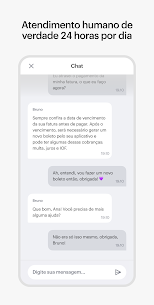
Support options are available through the official Nu channels, including in-app help and the contact details published on Google Play. Language and service availability vary by country. If an installation asks for credentials outside the official app or opens an unrelated login page, stop and check the package source before entering any personal or banking information.
- In-app support: Use the help area attached to the signed-in account when available.
- Official contact details: Check the developer email and website shown on the Play Store listing.
- Regional assistance: Support may be provided in Portuguese, Spanish or English according to the market.
Why the Android package identity matters
The verified Android package for this listing is com.nu.production, published by Nu. Google Play reports that data is encrypted in transit and that users can request deletion of collected data. Those statements apply to the official listing; they should not be assumed for a third-party or altered APK carrying a similar icon and name.
Card controls and security checks help protect an account, but no app can remove every risk. Customers should keep Android updated, avoid sharing verification codes and confirm that the developer and package name are correct before signing in. This is especially important for a finance app because a copied login screen can be used to capture account details.
Nubank APK file and Android compatibility
The Android release tracked here is v10.4.22. A current listed APK variant is approximately 58.74 MB and requires Android 7.0 or newer, while Google Play may deliver a different device-specific download size. The App Information box records the tracked variant so the version, requirement and file details remain consistent.
Google suggestions for this topic include Nubank APK file, Nubank APK download Android and Nubank APK Android. Whatever wording is used, the safest identity check is the developer name Nu and package ID com.nu.production. The button on this page is a Play Store destination rather than an independently hosted banking APK.
Nubank APK MOD and editable-app searches
Nubank APK MOD, Nubank Falso APK, Nubank Premium APK dinheiro infinito and Nubank APK editavel are existing search terms around fake-balance or modified-app claims. They are retained here because users search for them, but they are not promises that the official app provides edited money, a fake PIX transfer or premium banking access.
An altered finance app can display fabricated information or expose login details without changing any real bank balance. For genuine account access, use the verified Play Store package and the credentials issued through Nu’s normal account process. More payment and banking listings are available in the Finance category.