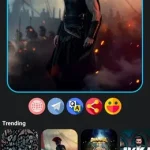

Dulo TV APK is an Android entertainment app made for people who want a simple way to explore movies and TV shows on a phone. It brings together popular and trending titles, ratings, genres, release information, trailers, search, and favorites in one lightweight interface.
What is Dulo TV?
Dulo TV works as a streaming-style entertainment browser rather than a traditional video player. After opening the app, users can move between movie and TV sections, search for a specific title, check its details, watch an available trailer, and save interesting titles to favorites for later.
Main Features
- Browse movies and TV shows
- Popular, trending, and top-rated sections
- Currently playing titles
- Ratings, genres, and release information
- Movie and TV show details
- Trailer playback where available
- Fast title search
- Favorites list for saved titles
- Clean Android interface
- Ads-supported free use
Movie and TV Discovery
The main strength of Dulo TV is organized discovery. Instead of scrolling through a long mixed catalogue, users can browse popular movies, trending shows, top-rated entertainment, and other sections. Ratings and genre information make it easier to narrow down what looks interesting before opening the full details.
Search, Trailers, and Favorites
Search is useful when you already know the name of a movie or series. For titles with an available trailer, Dulo TV lets you preview the content before deciding whether to save it. Favorites provide a simple way to build a personal list and return to selected movies or shows later.
App Information
Dulo TV is listed under Entertainment and is developed by COGNITECH SERVICES. The current Android package information lists version 1.0.3, a lightweight 555.88 KB package, and Android 7.0 or newer as the minimum requirement. The app contains ads and its listing describes data encryption in transit.
Does Dulo TV Stream Full Movies?
The available app information describes Dulo TV as a streaming-style movies and TV shows app with browsing, title information, trailers, ratings, genres, search, and favorites. It specifically confirms trailer playback where available, so the safest description is to treat it as an entertainment discovery and trailer app rather than promise full movie or episode streaming.
Installation Instructions
- Download the Dulo TV APK package to your Android device.
- Check the app name and package details before installation.
- Allow installation from unknown sources temporarily if Android requests it.
- Open the downloaded package and tap Install.
- Launch Dulo TV, then disable unknown-source installation permission again if you enabled it.
Download more Android apps here: NerveFilter